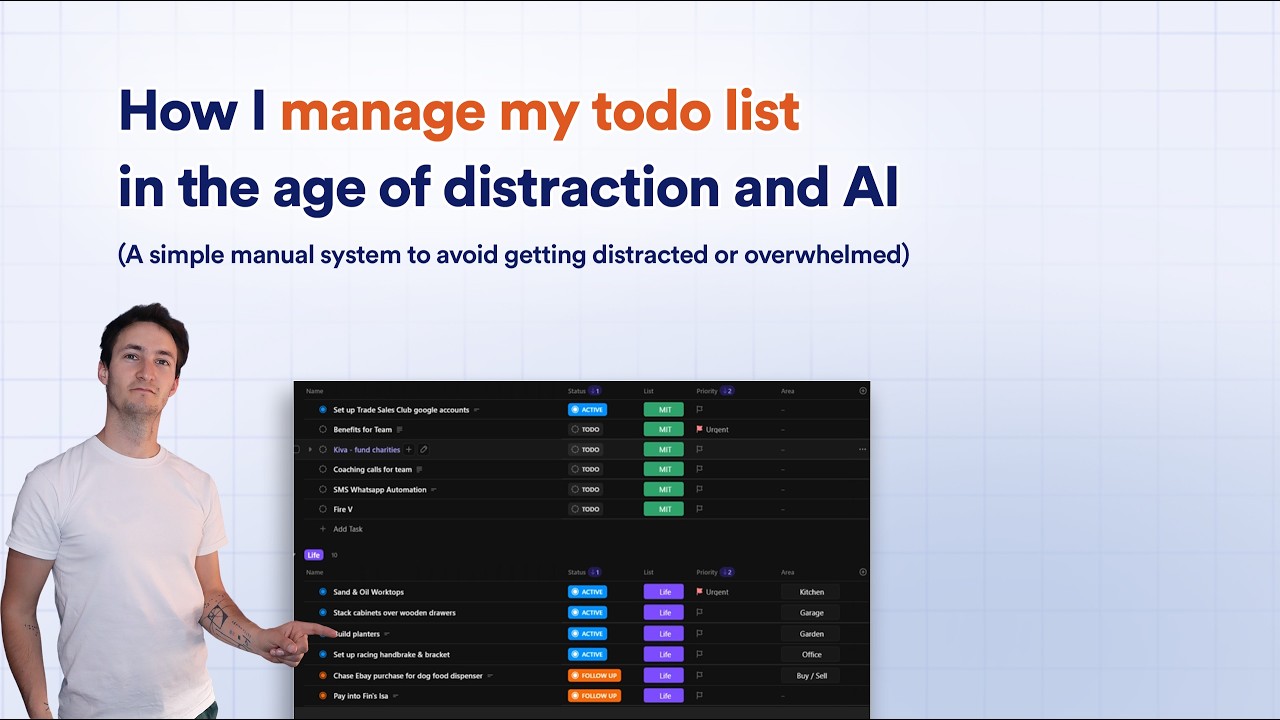
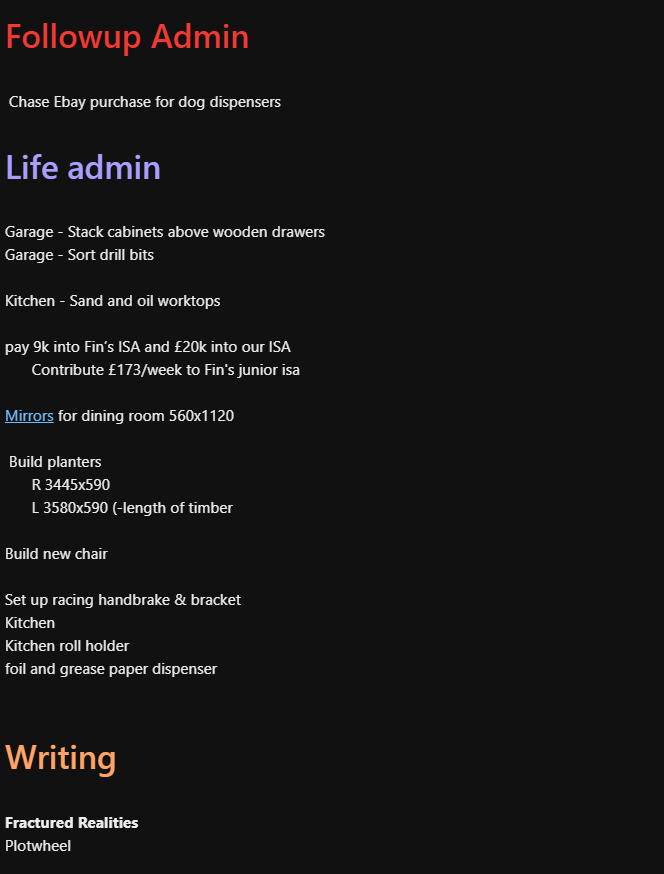
I used to just keep one big simple list. Everything got dumped into it. Every task, every idea, every “I should probably do that at some point,” all sitting in one long scroll, split into four columns.
I hate complex systems and fancy apps to manage todos…But every time I opened it to add a braindump, my eyes would scan down my list of tasks and my brain would fire into gear, already planning 6 different tasks and follow-ups simultaneously.
More often than not, I would forget the task I had intended to work on and get sneakily side-tracked into some other distraction.
That list of tasks were all loaded into my brain each time I opened my braindump. That’s not a to-do list. That’s a panic list.
I previously made a video a while back about how I was prioritizing my tasks.
Since then I’ve updated the system with one small change, it’s made a bigger difference than I expected.
My todo list was giving me anxiety
Here’s the thing nobody tells you about overwhelm:
Overwhelm is not caused by having a lot to do; We all have more tasks than we have time to do. This is normal.
And this will only get worse as AI becomes ubiquitous.
Overwhelm happens because we try to hold all of your tasks in your head at the same time.
Every open task is a tab running in the background of your brain. And your brain, bless it, is not built to run forty tabs at once. It grinds. It slows down. Eventually it just freezes and you end up doom-scrolling instead of doing the one thing that actually matters.
I didn’t need a better list, I just needed a better set of blinders.

Horse blinders, or blinkers, are leather or plastic cups attached to a bridle to limit a horse’s peripheral vision. Commonly used in racing and driving, they restrict the view to the sides and rear, helping the horse focus on the path ahead, reducing spooking, and keeping them calm in chaotic environment.
Building the blinders: how the system actually works
So I moved everything out of my old list and into individual tasks in ClickUp. One task per thing, no matter how small.
“Sort drill bits.” That’s a task now. It doesn’t need an essay attached to it. It just needs to be out of my head and somewhere else.
Every task gets sorted two ways.
1. Which list it belongs to
Same four categories I had before, just tidier:
- 🎯 Most Important — the stuff that grows the business or saves me serious time
- 📋 Admin — the stuff that has to happen but doesn’t move the needle
- 🏡 Life Admin — the non-work stuff that still needs doing
- ✍️ Writing
When something pops into my head, I ask one question: does this grow the business, or is it just keeping the lights on? That tells me exactly which list it lands in.
2. Which status it’s at
- To-do
- Active
- Follow up
- Done
The 10-task rule
Here’s the bit that actually changes everything:
I only ever let myself have 10 tasks marked “active” at once.
Roughly two under Most Important. Maybe five under Admin. Two or three under Life Admin. It flexes, but it never balloons.
Everything else just sits quietly on “to-do,” out of sight, not asking for anything.
Because here’s the truth: you cannot hold more than about 10 things in your head at once without it turning to noise. I don’t care how organised you think you are. I like to think I hold detail well, and even I get overwhelmed past that number.
So if I’m not working on it this week, it doesn’t get to be active. It waits.
The follow up list: for the stuff that is out of my hands, but I need to remember later.
This one’s for the tasks I’ve actually started, but can’t move forward on. Waiting to hear back from a client. Waiting on my team to finish something before I can pick it up.
Those half-finished loops are the worst for overwhelm, because you’re holding them open in your head “just in case,” even though there’s nothing you can do about them right now.
So instead of holding it in my head, I set the status to “follow up” and let it sit there until it’s unblocked. My brain gets to let go of it completely, because the system is holding it for me.
Give each list its own time block
The list is only half of it. The other half is my schedule.
I’ve got fixed blocks in my day for each list. 10am to 11:30, for example, is my Most Important block, every single day. When it hits 10am, I open that list and ask one question: what am I actually working on today?
At the start of the week, I go through each list and write down one task per day, per list, straight onto my paper schedule. One Most Important task for Monday. One for Tuesday. Same for Admin, same for Life Admin.
That’s it. I’m not trying to smash through the whole list in one sitting. I’m chipping away, one task a day, inside a time block that already exists.
The Monday triage
Every Monday, around 11am, right after my team catch-up, I go back through the whole list and triage it.
What do I want to activate and get done this week?
What’s been sitting there and just isn’t important anymore? Delete it, let it go.
What have I started but can’t finish yet? Set it to follow up.
Then I go back to my schedule and write in the week ahead.
Ten minutes, once a week, and I never have to think about my to-do list outside of that.
How it’s changed things for me
The old system failed because it made me look at everything, all the time. Every task was visible, every task felt urgent, and my brain couldn’t tell the difference between “sort drill bits” and “finish the client proposal that’s due today.”
This system works because most of the list is invisible until I choose to activate it. I’m never looking at the whole mountain. I’m only ever looking at the two or three tasks I’ve decided actually matter today.
That’s the blinders. Not a fancier tool. Not more automation. Just a system that only shows me what I need to see, when I need to see it.
Distraction-free todo system
Subscribe for instant access to a walkthrough of my simple todo list system.