“how do you prioritize your tasks, and decide what to do each day? I have all these jobs in front of me, how do I decide what’s important & what to do first?”
– Shaun, Marketing agency owner
I used to use Eisenhower matrix, but I found that almost everything ends up in ‘urgent and important’, which means I end up firefighting and just working on whatever was in front of me.
So now, I just keep x4 simple lists:
- Braindump
- Most Important Things
- Maintenance
- Life admin
- Bonus secret list…
Braindump List
Everytime I think of a tasks, and idea, or a thought, it goes into my Braindump list.
Brains are for having ideas, not storing them. Trying to mentally hold onto all your unactioned thoughts leads to overwhelm:
Braindumping gets ideas out of my brain and helps me avoid a mental build up, or mentally hanging onto lots of unfinished tasks.
Writing them all down in one big consistent list can get messy, but it doesn’t need to be neat.
The purpose isn’t presentation; the purpose is to clear your head for thinking about other things.
I’ve set up a macro shortcut to quickly capture text on desktop or mobile apps, and add it to the top of my braindump.
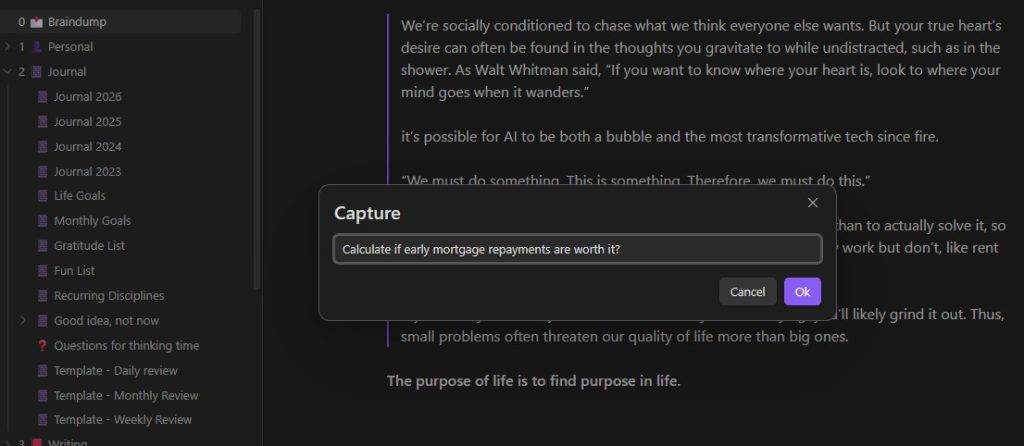
The Braindump list gets checked and resorted daily.
Allow yourself to “let go” of the truly unimportant tasks.
The stuff that isn’t important or urgent tends to naturally fall to the bottom of the list and I often just delete stuff that never gets done. If I haven’t got to it after a few months, it can’t be that important.
Each morning I spend 10 mins to review my braindump, and organize all the messy notes into wherever it needs to go;
Sometimes a note will go into a specific task in my Clickup management system, or it may be sent in an email to a client, or if it only takes 5 mins I might take action on it there and then.
But most notes get moved into x3 specialised lists…
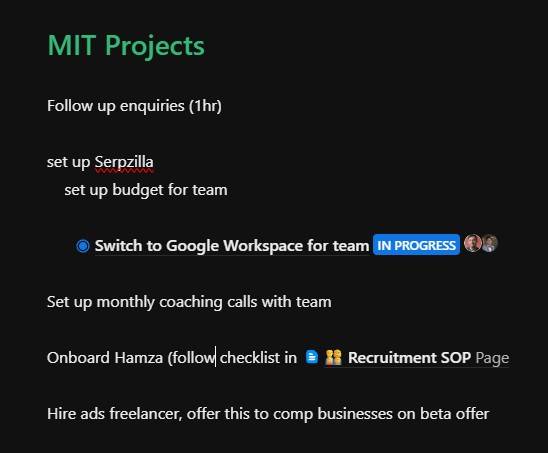
“Most Important Task” List
An MIT is anything that….
- Saves me time
- Grows the business
- Builds leverage
- Reduces stress or effort
- Increases my effective hourly rate
Such as:
- Building systems
- SOPs
- Team coaching
- Learning
- Thinking and planning
These tasks I work on for the first hour every day, when I have the most uninterrupted focus.
Maintenance list
This your usual day to day stuff:
- Sending emails
- Design work
- Checking on team
- Finances
- Admin
I do this in a timeslot later in the day, when my energy is low
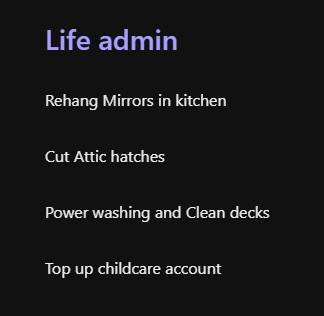
Life Admin List
I try to integrate my work, leisure and life, instead of separating them.
These are breakout tasks. and I usually alternate between work and “life” admin to keep things varied. I also try to alternate between physical tasks and mental tasks.
- Laundry
- Gardening
- Fix the leaky sink
- Get the car to the garage
- Sorting insurance
- Pay childcare
I set aside time in the afternoon to do these, to give me a change of pace from work and make sure I get up and move.
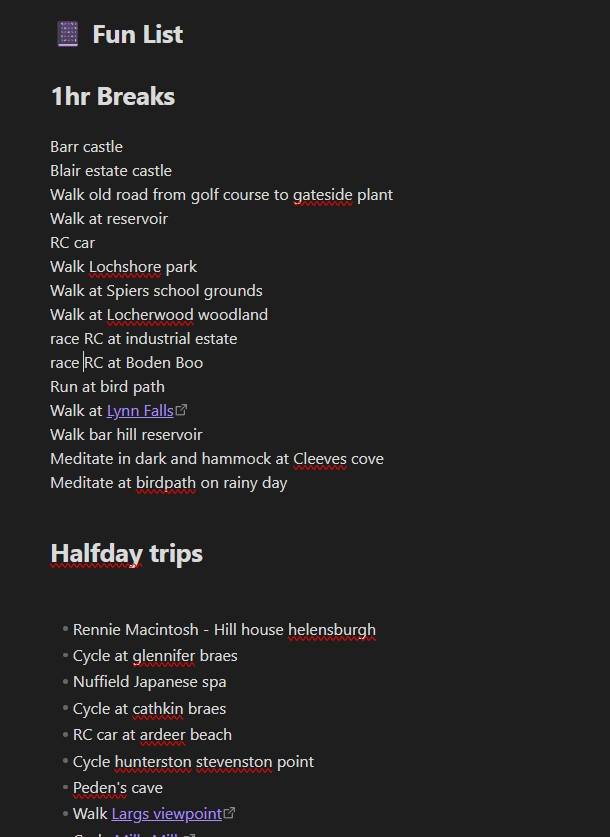
(Bonus) Fun list
I’ve just checked my list and realised there’s a 5th hidden list:
If you don’t schedule downtime, it doesn’t happen, and work sneaks in by default. So I schedule and plan my breaks and recovery in advance.
The problem is that I find when I have a short break or window, there’s so many things I could do, that I end up feeling overwhelmed and just work through it instead, or “fake rest” by sitting and scrolling my phone (which doesn’t actually recharge me)
So to avoid having to make a decision I keep a list with…
- half hour break ideas
- half day breaks ideas
- full day breaks ideas
- quarterly sabbaticals ideas
If I find myself with a spare time block, I’ll pick something from the list to recharge
How to decide what tasks are important..
Last thing I’d add…
In order to decide what tasks are important, you have to know what you’re trying to achieve, then say no to most other stuff.
Otherwise everything is important and you’ll run out of time in the day.
This is harder than it sounds.
As you get better at your work, more and more people want your time.
As you become more successful, more and more opportunties (and tasks) come your way.
So your ability to say NO must grow along with your success.
So how do we decide what tasks are important?
Important tasks move us closer to our goals.
We must know what our goals are.
So I set goals for each area of my life, and reverse engineer those goals into actions in my lifestyle design workshop.
This guides what I put on my important tasks list,
And more importantly what I avoid.
Example:
Spending 3 hours a week Networking might result in more work,
but it conflicts with my true goal; which is to work less.
So I don’t do networking.
But of course setting priorities is worthless, unless you actually stick to your priorities, and work on your priorities…
Set aside timeslots each day to work on each list
Decide when the right time is to work on each list, and set aside time each day to work on them.
This is different for everyone; We all have different responsabilities, priorities and varying agency over our own time.
But generally…
- work on important or hard stuff first
- Reward yourself for working on your important stuff with a break, or a vice like video games, a nice walk or chocolate.
- work on admin or easy things when you have low energy.
- I also alternate between mental tasks & physical tasks for variety.
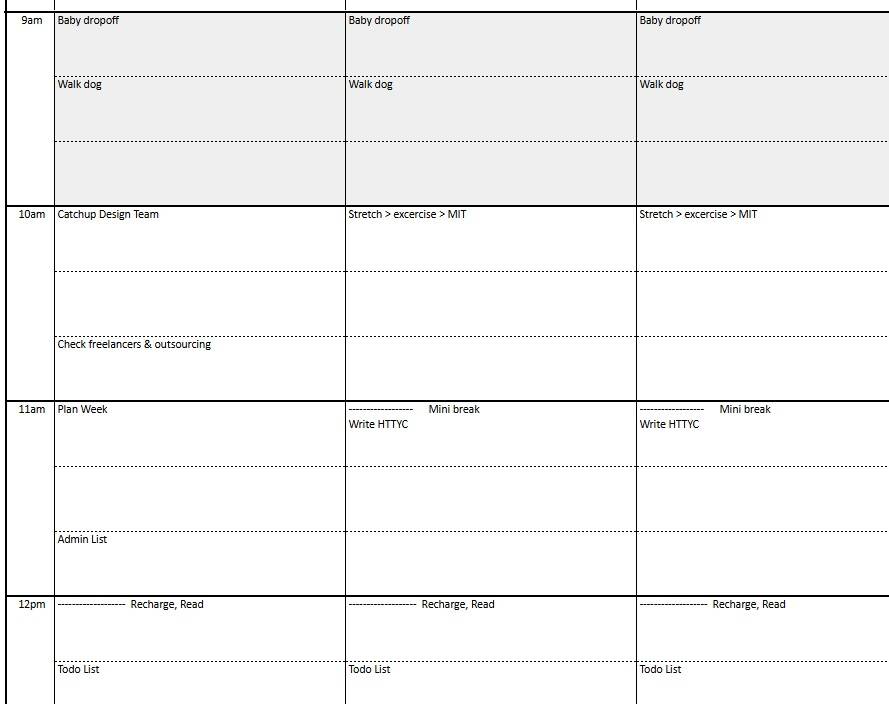
I create timeblocks on my schedule for each list, this means I work on all of them a little bit each day.
This system works naturally to make sure the right tasks gets worked on first,
so long as I stick to the schedule and work on the right list at the assigned time.
Of course we live in the real world;
Even the best schedule is subject to change and chance.
But the important bit is not sticking to the plan rigidly, it’s having a plan,
so that we are always working intentionally on our priorities,
instead of just reacting to whatever pops into our inbox.
My schedule has printed “defaults” for what I should be doing during that timeblock, then I write in each timeblock the specific task I’ll be doing.
I correct this after each timeblock to make sure I’m always working intentionally.
If I’m interrupted or distracted I’ll update what I actually did on the schedule.
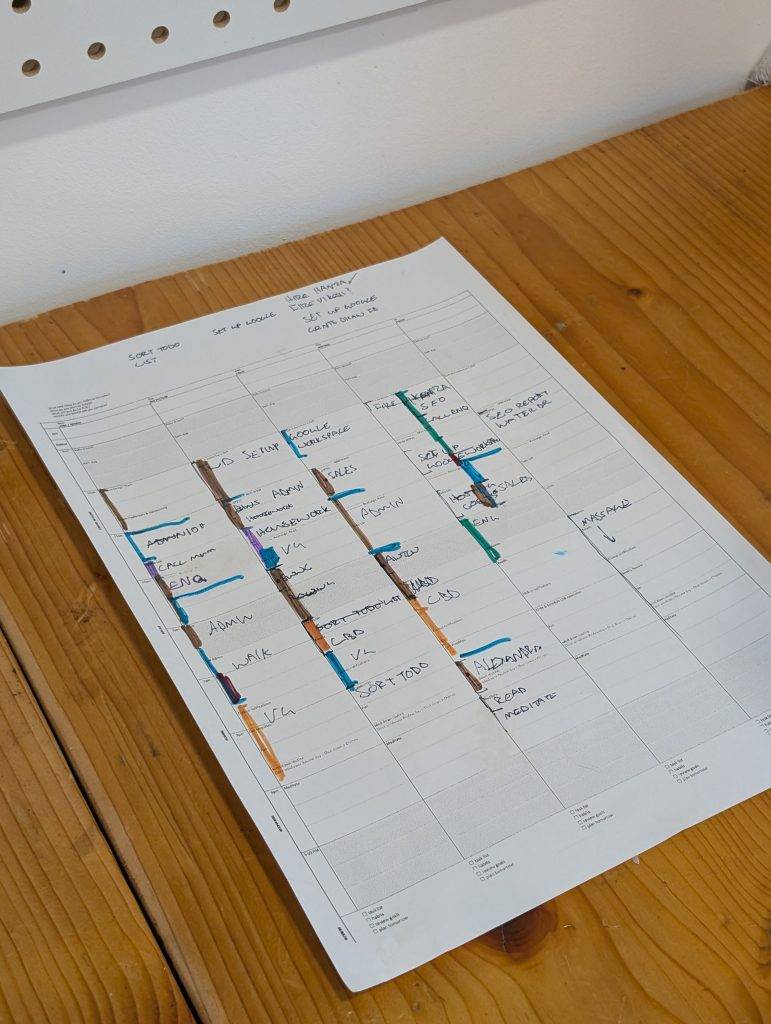
I reguarly analyse my schedule in my weekly review, and colour code it.
It’s interesting to see How I plan my week, vs How my week actually went…
I can tell from all the brown timeblocks that I did far too much “admin” this week!
There’s a full breakdown of my schedule, and the scheduling system I use, plus templates you can steal in #13 Schedule of a 6 figure solopreneur
Tools
- Paper schedule (paper can be quickly scribbled over, adjusted, replanned when your day gets interuppted)
- Clickup (tasks and projects. Notes usually evolve into a task once they become active).
- Obsidian (braindumping, note taking & longform writing. Heavily customized for me.)
These articles will help you figure out what tasks to prioritize first…

I'm running a 25min masterclass with a breakdown of the daily schedule I use to run a £20k/m business on a 3day workweek
Subscribe for instant access to 6 figure solopreneur schedule template.